




Free Business Email Trap
Free business email sounds great until you realize the inbox may be free, but everything around it isn’t. You’ll still usually need a custom domain, which can cost around $10–$20 a year, and if you need a website too, that’s another expense on top.
That’s why a free trial can sometimes be the smarter way to test a business email service. Neo Mail, for example, offers a 15-day free trial, with plans starting at $1.25 per mailbox/month, plus a free domain option and an AI website builder. So instead of paying separately for email, a domain, and a basic website, you get more of it in one place.
Google Workspace also offers a free trial, but it’s not really about saving money. You’re paying for the full productivity setup — Gmail, Drive, Docs, Meet, Calendar, and more — which can be worth it if your business actually uses the whole ecosystem.
The answer: opt for a free business email solution.
Free business email trials - Our top picks
- Neo Mail – Business email + free domain + free website builder
- Google Workspace – Best for businesses that use Gmail and Google productivity tools.
1. Neo Mail
Neo Mail stands out by combining business email with built-in website and AI productivity tools, giving small businesses an easier way to create a business email account.
Key Features of Neo Mail
- A free domain bundled with every plan
- AI website builder for creating a professional landing page in minutes
- Free 15-day trial with access to all premium features
- Professional email with real-time email tracking and open notifications
- Up to 100GB storage per mailbox, depending on plan
- Built-in calendar and appointment scheduling
- AI Smart Write to help draft emails faster
- Security features: end-to-end encryption, 2FA, spam + virus filters
How to Set Up a Free Business Email with Neo Mail
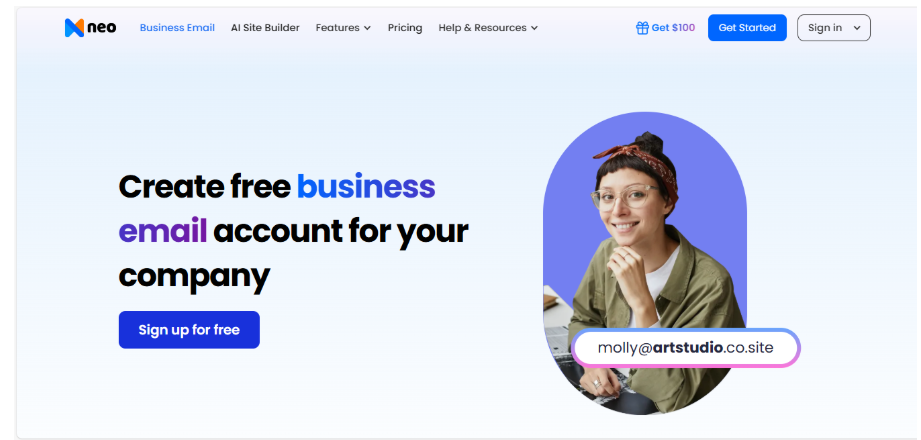
- Visit Neo Mail’s website and click Sign up for free.
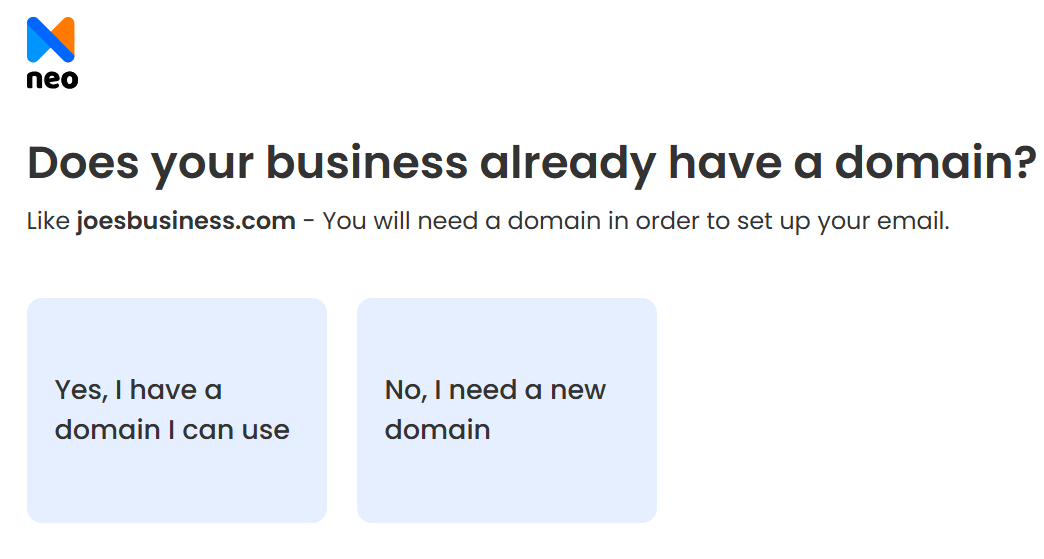
2. Choose: use an existing domain or create a new free domain
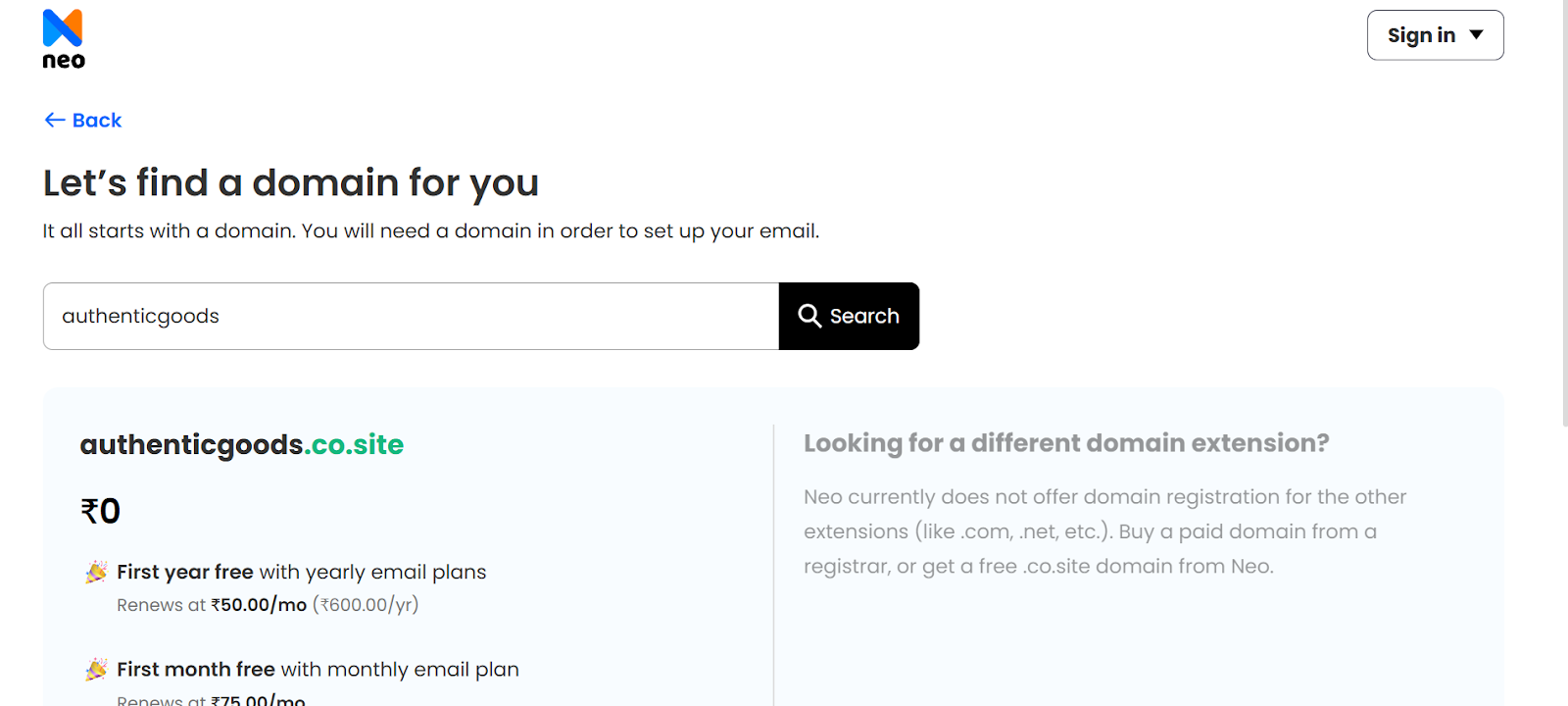
3. Verify domain ownership (if it already exists) or register your new domain.
4. Create your first business email address, e.g., joe@yourbrand.co.site.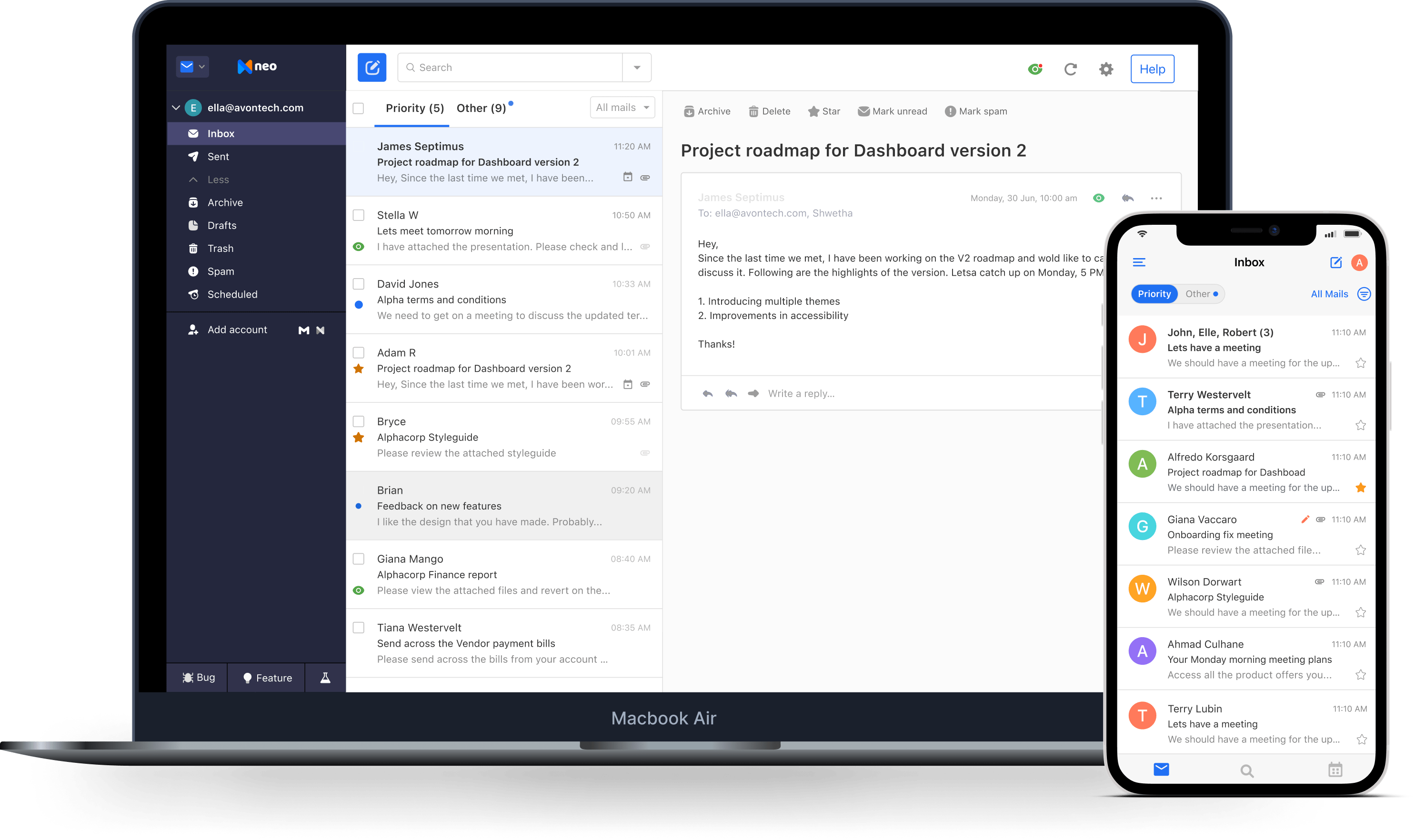
Pros of Neo Mail
- Free domain included (rare among competitors)
- Easy website builder bundled with email
- No technical setup required (perfect for non-tech founders)
- Strong uptime and security
Cons of Neo Mail
- Free domains only come with .co.site extension
- Not ideal for large businesses with complex IT requirements
2. Google Workspace
Google Workspace brings professional business email and Google’s productivity tools together in one platform. Its 14-day free trial lets businesses test Gmail with a custom domain, along with Drive, Calendar, Meet, Docs, Sheets and other Workspace apps.
It’s a strong option for teams that already use Google tools and want email, file storage, video meetings and real-time collaboration under one subscription.
Key Features of Google Workspace
- 14-day free trial
- Custom business email through Gmail
- 30GB of pooled storage per user with Business Starter
- Gemini AI assistant built into Gmail
- Google Drive, Docs, Sheets, Calendar, Chat and Meet
- Video meetings for up to 100 participants on Business Starter
- Built-in protection against spam, phishing and malware
- Central Admin console for managing users, devices and security settings
How to Set Up a Free Business Email with Google Workspace
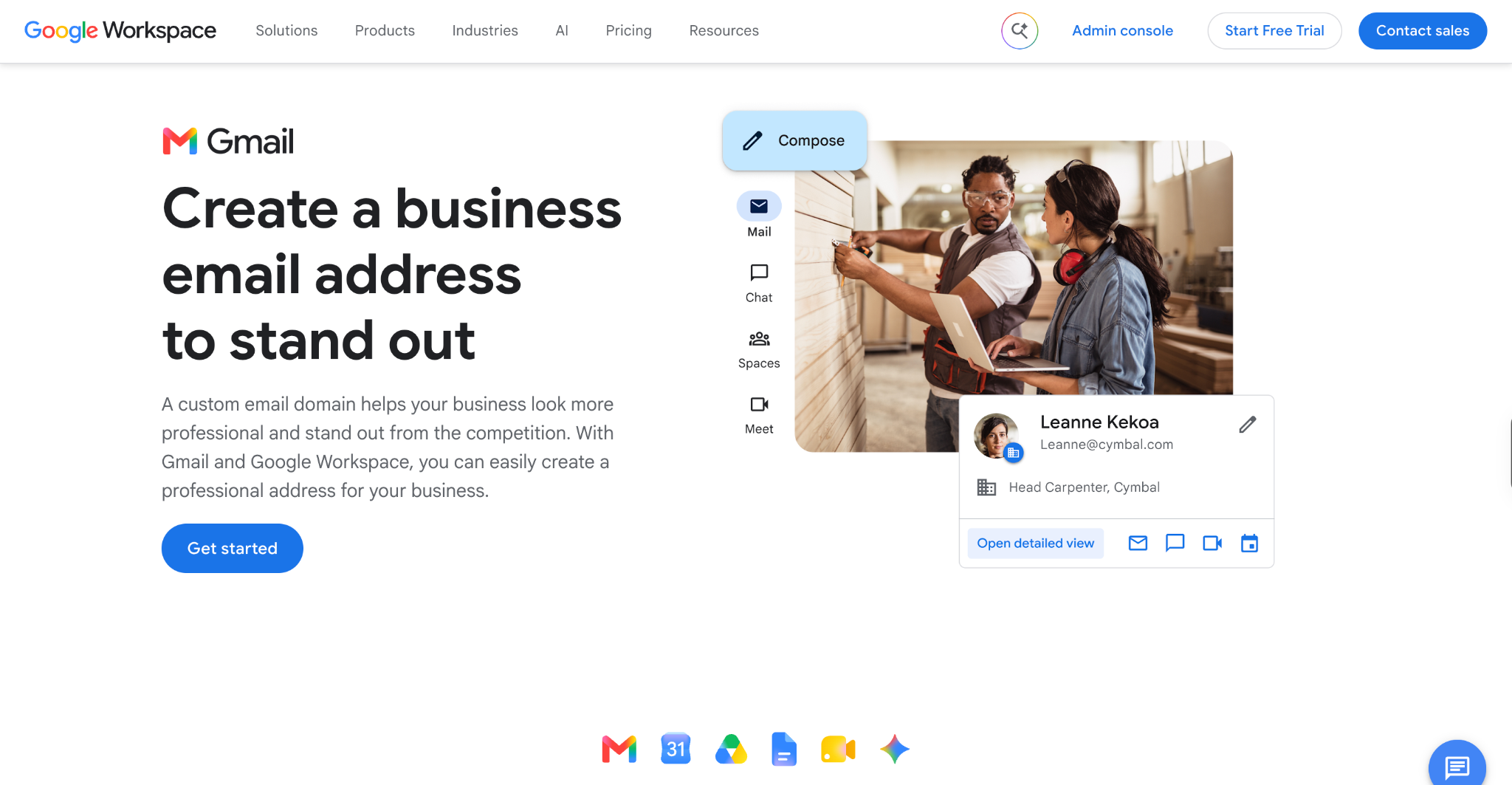
- Visit Google Workspace and start the 14-day free trial.
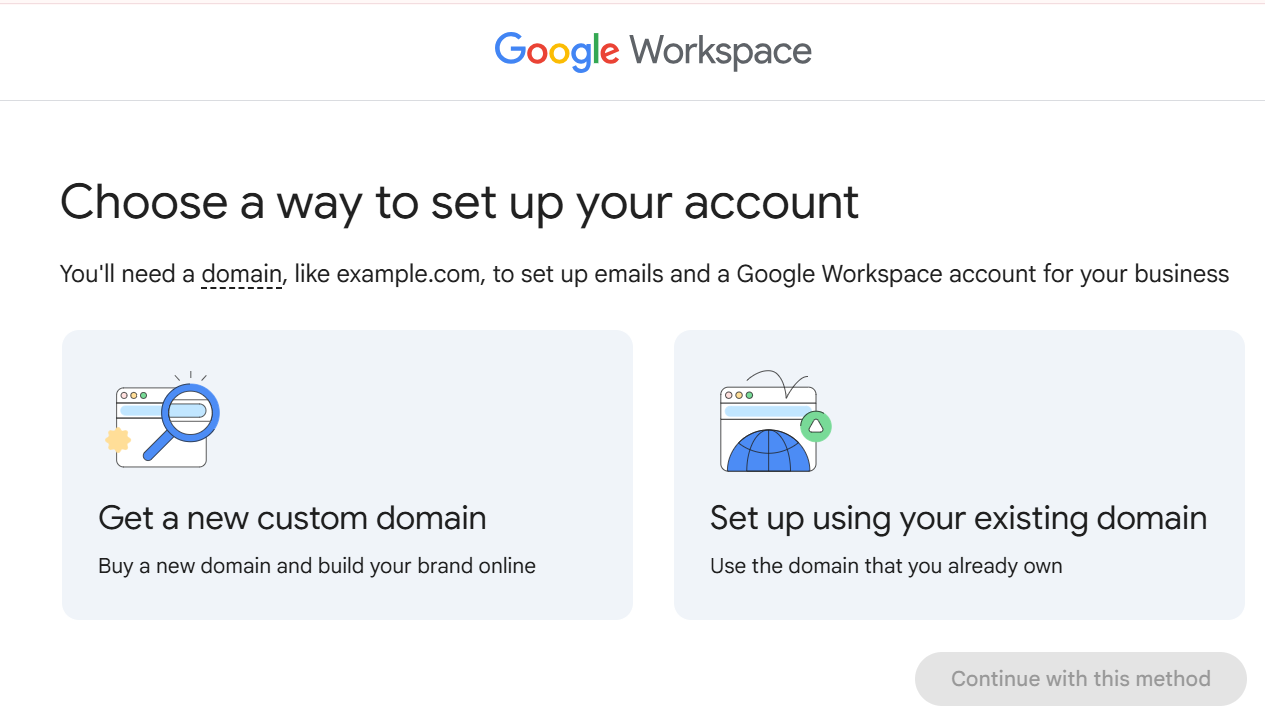
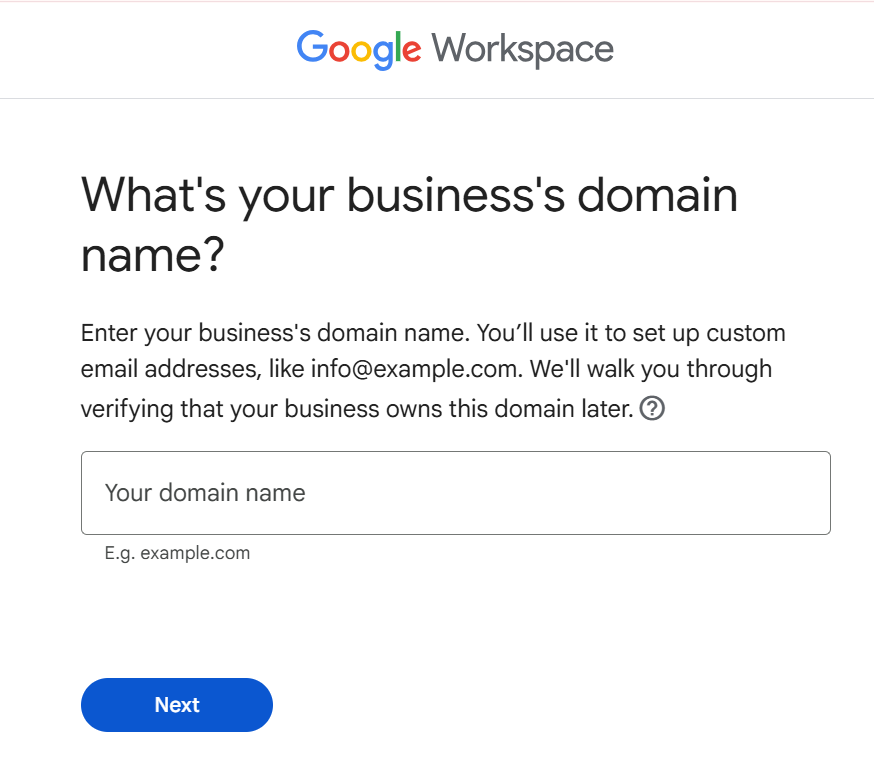
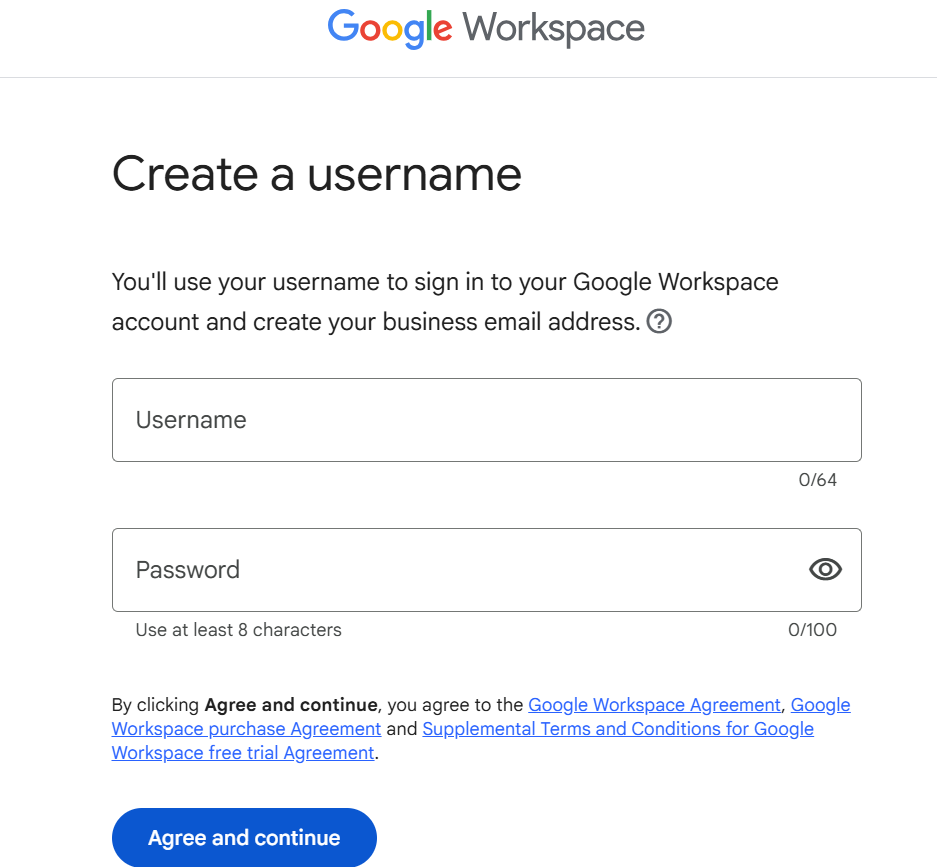
Once the MX record is active, your team can send and receive messages using addresses such as name@yourcompany.com.
Pros of Google Workspace
- Familiar Gmail experience with a custom domain
- Gemini AI built into Gmail
- Seamless collaboration across Docs, Drive, and Meet
Cons of Google Workspace
- You need to buy a domain separately
- It can feel expensive if you only need email
3. DreamHost
Unlike Neo Mail or Zoho, DreamHost is primarily a hosting provider—but it also includes email hosting with its plans. It’s especially attractive for nonprofits, as DreamHost offers free hosting for registered US nonprofits.
Key Features of DreamHost
- Free with hosting plans + 30-day money-back guarantee
- 25GB mailbox storage
- Ad-free webmail interface
- Spam, phishing, and virus protection
- Domain privacy included for free
- Easy integration with WordPress hosting
How to Create a Free Business Email with DreamHost
- Visit DreamHost and choose a hosting plan.

3. Create a primary business email address (e.g., info@yourcompany.com).

Pros of DreamHost
- Email included with affordable hosting
- Generous storage (25GB/mailbox)
- Free domain privacy
Cons of DreamHost
- No standalone free email—must buy hosting
- Only suitable if you also need hosting
What free email is best for business?
- Neo Mail is best if you want an all-in-one business email with a free domain, website, and business email.
- Choose Google Workspace if your team already uses Gmail, Drive, Docs, Meet, and other Google productivity tools.
- Choose DreamHost if you want hosting + email bundled affordably.
FAQS
How to create a free business email without a domain?
If you don’t already own a domain, platforms like Neo Mail let you create a business email with a free .co.site domain. This way, you can start using a professional-looking email (e.g., name@yourbrand.co.site) without buying a .com or .org domain.
Which is the best free business email for startups in 2025?
For startups, Neo Mail is the best option because it offers a free domain, a ready-to-launch AI website, and professional business email in minutes—all bundled together.
What is the difference between business email and personal email?
A business email uses your domain (e.g., hello@yourcompany.com), while a personal email comes from providers like Gmail or Yahoo (e.g., username@gmail.com). Business emails build credibility and look more professional.
Which free business email provider offers the most storage?
During its trial, Google Workspace Business Starter provides 30GB of pooled storage per user across Gmail, Google Drive, and other Workspace services. Businesses that need more storage can consider Neo Mail’s higher paid plans, which offer up to 100GB per mailbox
Is Gmail free for business email?
Gmail accounts are free for personal use, but for business email with your own domain, you need Google Workspace. Google offers a 14-day free trial for small businesses to test Gmail with custom domains.
Can I create multiple free business email accounts?
Yes. Providers like Zoho Mail allow up to 5 free accounts under one domain. With Neo Mail, you can add multiple addresses (like sales@yourbrand.co.site, support@yourbrand.co.site) during the trial or under a paid plan.
Which free business email is best for nonprofits?
Neo Mail is a great option because it provides free domain (with email) for registered nonprofits in the US. This makes it especially cost-effective for NGOs and charities.
What is the most secure free business email provider?
Google Workspace offers enterprise-grade security, 2-Step Verification and built-in protection against spam, phishing, and malware during its trial. Neo Mail also provides business email security features such as 2FA, spam filtering, and custom DKIM authentication.
Can I use my existing domain for a free business email?
Yes. Most providers, including Neo Mail, Zoho Mail, and Google Workspace, allow users to connect an existing domain and create free business emails. You just need to update DNS/MX.